Geometry Dash
Your ultimate hub for Geometry Dash — explore all game versions, play online, read tips & guides, and level up your skills.
Explore Everything
Everything you need to enjoy the game, all in one place.
🔄 Updated: November 2026 · Covers version 2.209
What Is Geometry Dash?
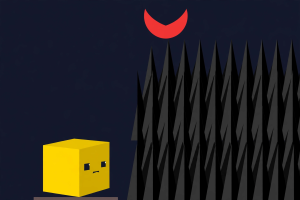
Geometry Dash is a rhythm-based platform game made by RobTop Games. You control a small cube that moves forward on its own, and you tap to jump over spikes and obstacles. The jumps match the music, so the game feels like playing a song. It looks simple, but it is one of the hardest and most loved mobile games ever made. Players keep coming back because every level is a new challenge, and every win feels earned. The game first came out in August 2013 on iOS and Android, and it arrived on PC through Steam in December 2014. Since then, it has grown with updates that added new modes, new levels, and new tools. The latest update listed on this site is 2.209, from October 2026. You can read the full story in our 2.209 update post.
Geometry Dash is paid on phones and PC, while free versions — Lite, Meltdown, World, and SubZero — let you try the game for free. You can compare them all on the Versions page.
How to Play Geometry Dash
Playing Geometry Dash is easy to learn. Your icon moves forward by itself. You tap the screen, or press the space bar on a computer, to jump. If you hit a spike, you start the level again. That is the whole game in one line, but the skill is in the timing. Jumps must land at the right moment, and the music tells you when that moment is. Start with the easiest level, Stereo Madness. It teaches you the basic jumps without punishing small mistakes. Then try Back on Track, then Polargeist. Each level adds a new idea slowly, so you learn as you play. Do not jump to a Hard level on your first day. Finish an Easy level three times in a row, then move on. That steady path is how every good player learned the game. You can find the full beginner plan in our tips for beginners.
Controls on Every Device
On Android and iPhone, you play with one finger. Tap the screen to jump, and hold to keep jumping. A light tap works better than a hard press, and your thumb is usually the best finger to use. On iPad, the bigger screen makes the levels easier to see, and the same touch controls apply. On PC, you play with the keyboard: press the space bar or the up arrow to jump. Update 2.209 lets PC players choose their own keys, so you can pick the key that feels best for you. Read our Android guide, our iPhone guide, and our PC guide for the full steps on each device.
The 8 Game Modes, Explained Simply
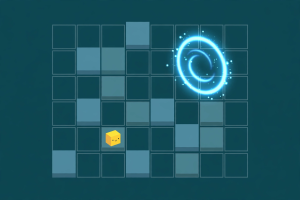
Geometry Dash has eight game modes, and each one controls differently. The Cube jumps with a tap. The Ship flies while you hold. The Ball flips gravity with a tap. The UFO jumps in the air with small lifts. The Wave moves in a zigzag and is the hardest mode for most players. The Robot jumps higher when you hold longer. The Spider teleports between the floor and the ceiling. The Swing, added in update 2.2, swings from point to point. Portals in a level change your mode, so you must learn each one. Our game modes guide explains every mode with a practice tip, so read it before you try a level with a new mode.
Your Level Path: From Stereo Madness to Demon
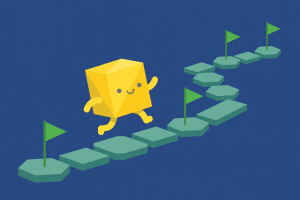
A good level path keeps you learning without frustration. Start with the Easy levels: Stereo Madness, Back on Track, and Polargeist. Then try the Normal levels, and then the Hard ones. After that, try Harder and Insane levels. Demon levels are the hardest rating in the game, and they are a goal for serious players, not a starting point. When you are ready, read our Demon levels guide to learn how to prepare. A steady path beats rushing every time: finish each level, learn its lessons, and then move on.
Practice Mode: Your Best Tool
Practice Mode is the best tool in Geometry Dash, and you should use it on every new level. It lets you place green checkpoints, so you restart from the middle of a level instead of from the start. Learn one hard section at a time, repeat it until it feels easy, and then try a normal run. That is how good players beat long levels. Our Practice Mode guide explains checkpoints in detail, with the mistakes to avoid.
Which Version Should You Play?
If you are new, start free with Geometry Dash Lite, Meltdown, World, or SubZero. Lite is a free sample of the full game. Meltdown is fiery and fast. World has short levels and daily rewards. SubZero is icy and beautiful, with three loved levels. If you love the game and want everything — every official level, the level editor, and community levels — buy the full version. Our Lite vs Full guide compares the two in detail, and the Versions page compares all five editions side by side. You can download any version from the Download page.
What’s New in 2026
Update 2.208 arrived in January 2026, and update 2.209 followed in October 2026. The 2.209 update adds platformer saving, so you can leave a platformer level and pick up where you left off; custom keybinds, so PC players can choose their own keys; and editor improvements, so level builders have an easier time. Platformer mode itself was added in update 2.2, along with Swing mode. Read our 2.209 update post for the full story, and our platformer mode guide to learn how platformer saving works.
Play Online Free: Neon Dash
You can also play right here in your browser with Neon Dash, the site’s own free game, inspired by Geometry Dash. It has 26 levels, from Easy to Demon, and it needs no download. Neon Dash is not the official game — it is our own game, made for this site — but it is a great way to practise the timing for free. Visit the Online Play page to play it now, on your computer or your phone.
Pro Tips That Actually Help
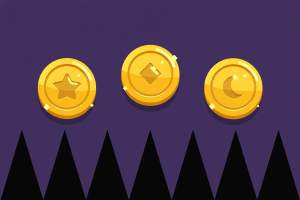
Listen to the music, because the beat tells you when to jump. Keep your taps light and steady, and take a break when you die at the same spot many times. Play a little every day instead of one long session, because short daily practice builds skill faster. Use headphones when you can, because clear music makes timing easier. And do not chase secret coins until you can finish the level: each official level hides three secret coins, and they are much easier to find when you already know the level. Our secret coins guide explains how to search smartly, and our level editor guide shows you how to build your own levels when you are ready.
Download Safety: Read This First
Download Geometry Dash only from the buttons on the Download page or from the official stores: Google Play, the App Store, and Steam. Check that the developer is RobTop Games before you install. Never download the paid game for free from random websites, because those files can be fake or unsafe. A real download never asks for your password or personal details. If a website promises the full game for free, close it at once.
FAQs
What is Geometry Dash?
Geometry Dash is a rhythm-based platform game made by RobTop Games. You tap to jump over spikes, and your jumps match the music. It came out in August 2013 on phones, and on Steam in December 2014.
Is Geometry Dash free?
Geometry Dash Lite, Meltdown, World, and SubZero are free. The full version is paid. Download them from the Download page or from the official stores only.
How do I play Geometry Dash?
Your icon moves forward on its own. Tap the screen, or press the space bar on PC, to jump. Avoid the spikes and reach the end of the level. Start with Stereo Madness, the easiest level.
What is the hardest mode in Geometry Dash?
Most players find Wave the hardest mode, because it is fast and tight. Spider and Swing are also hard for beginners. Cube is the easiest mode to learn.
How many levels are in Geometry Dash?
The full game has many official levels, and community levels add many more. The site states 26 official levels on the Versions page, and the free browser game Neon Dash has 26 levels of its own.
What is a Demon level?
A Demon level is the hardest official difficulty rating. Demon levels are long, fast, and full of tricky jumps. Read our Demon levels guide to learn how to prepare for one.
Can I play Geometry Dash on PC?
Yes, download it on PC through Steam for Windows and Mac. The keyboard gives exact timing, and update 2.209 lets you choose your own keys.
What is Practice Mode?
Practice Mode lets you place green checkpoints in a level, so you restart from a checkpoint instead of from the start. It is the best way to learn a hard level. Read our Practice Mode guide.
What is new in Geometry Dash 2.209?
Update 2.209, from October 2026, adds platformer saving, custom keybinds, and editor improvements. Read our 2.209 update post for the full story.
Can I play Geometry Dash online for free?
Yes, play Neon Dash, the site’s own free browser game, on the Online Play page. It has 26 levels and needs no download. It is not the official game.
Conclusion
Geometry Dash is a simple game with deep skill: tap, jump, listen to the music, and keep trying. Start with the easy levels, use Practice Mode, learn one mode at a time, and play a little every day. When you are ready, try a harder level, hunt for secret coins, or build your own level in the editor. Download the game from the Download page, compare versions on the Versions page, or play Neon Dash free on the Online Play page. Your next level is waiting — good luck, and have fun.
Latest From the Blog
- Geometry Dash Demon Levels Explained: What They Are and How to Prepare

- Geometry Dash Level Editor: A Beginner’s Guide to Building Your First Level
- Geometry Dash Platformer Mode Explained (and How Saving Works)
- Geometry Dash Secret Coins: Where to Look and Why They Matter
- Geometry Dash Practice Mode: How to Use Checkpoints to Beat Hard Levels
- Geometry Dash SubZero: A Beginner’s Guide to the Icy Spin-Off